
Console WalkthroughProjects
Dev Assist
Raise project-specific support requests and track resolution from the project context.
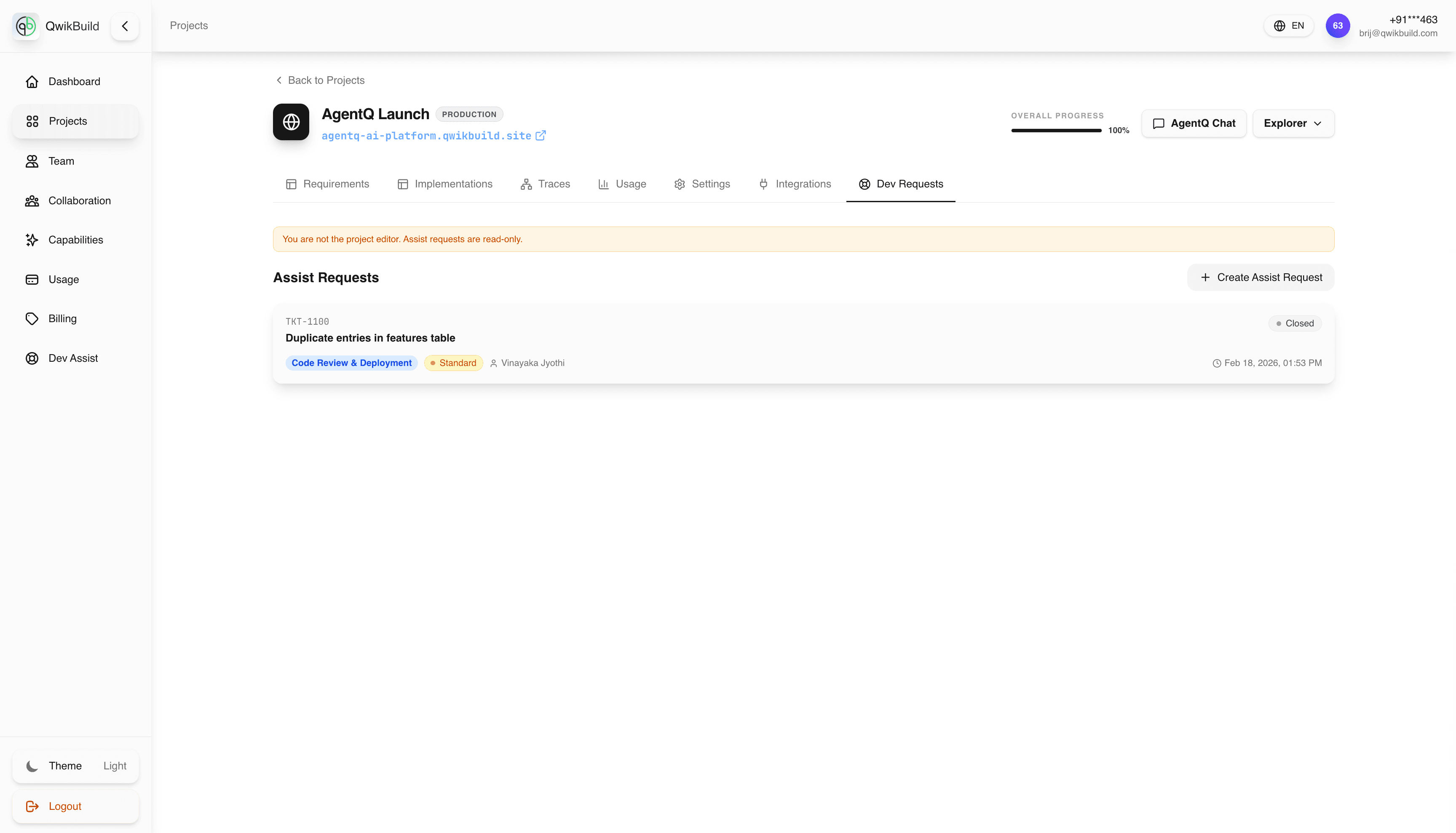
Use this page when you want support tied to one specific project.
For complete guidance on support types, priority levels, and writing a strong request, see Dev Assist.
What Is Different In Project Context
- The selected project is pre-filled, so request context is clearer.
- This is best for project-bound bugs, integrations, and feature changes.
- All updates stay connected to the same project lifecycle.
When To Use This Page
- The issue affects only one project.
- You want faster triage with project-specific context.
- You need to attach project evidence (screenshots, traces, implementation IDs).
Use account-level Dev Assist when the request spans multiple projects.
Recommended Inputs For Faster Resolution
- Project name and affected module
- Requirement or implementation reference (if available)
- Expected behavior vs actual behavior
- Steps to reproduce
- Business impact and urgency
- Attachments (screenshots, traces, logs)
Example Project Request
Subject: Checkout payment callback fails
Description: Expected paid orders to move from "Pending Payment" to "Confirmed". Actual result: payment succeeds at gateway, but status remains pending in the app. Affects launch readiness for this project.
Best Practices
- Keep each request focused on one issue.
- Update the same request thread with new findings.
- Link related requirement or trace records when possible.