
Console WalkthroughProjects
Implementations
Execution plans and runs with phases and tasks for each requirement.
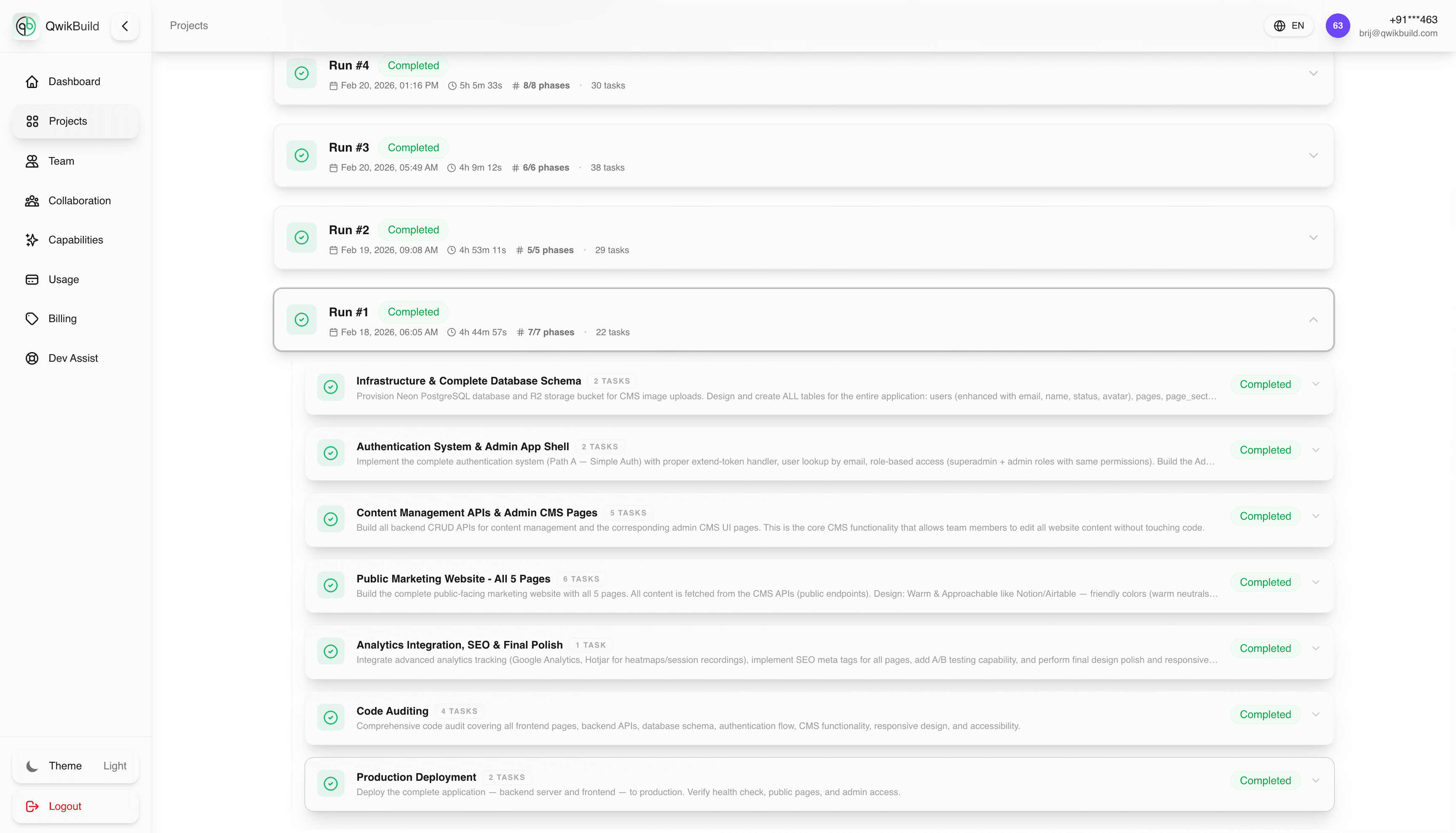
The Implementations tab shows how AgentQ turns requirements into action.
Each requirement maps to one or more runs, and each run is split into:
- Phases (major execution steps)
- Tasks (specific work items inside each phase)
What You Can Do Here
- See current and historical execution runs
- Understand plan structure before/while work executes
- Track completion status phase-by-phase
- Identify where a run is blocked
Simple Mental Model
- Requirements = What to build
- Implementations = How it is being built
- Traces = What is happening right now during build
Typical Workflow
- Open Requirements and confirm scope.
- Move to Implementations.
- Open the latest run for that requirement.
- Review phases and task statuses.
- If a phase stalls, use Traces for diagnostics.
Best Practices
- Validate requirement quality before judging implementation performance.
- Watch phase transitions to estimate delivery progress.
- Use task-level detail for clearer stakeholder updates ("Phase 2 complete, Phase 3 in progress").