
Console WalkthroughProjects
Requirements
Default project tab showing user asks, requirements, and update history.
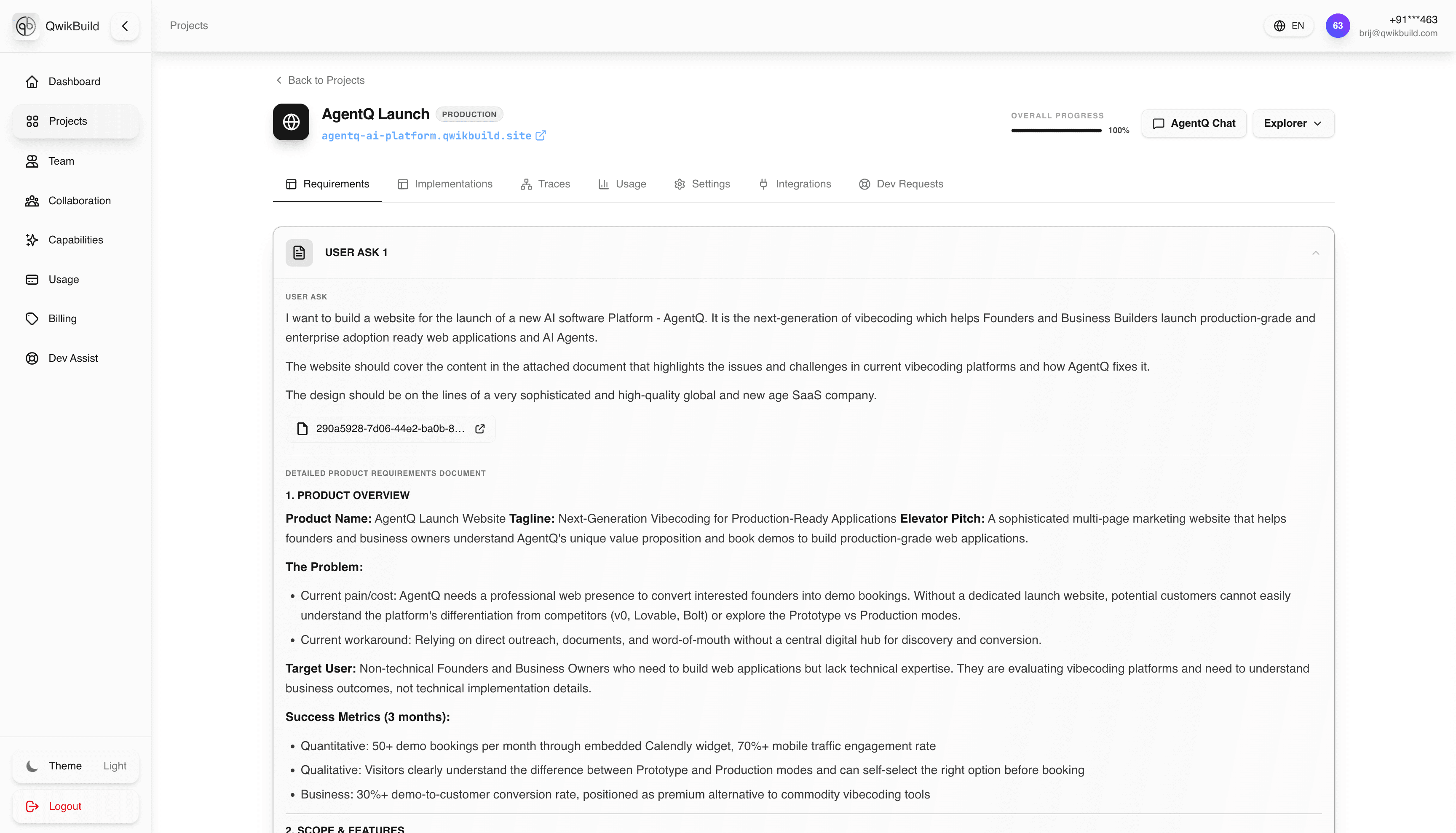
The Requirements tab is the default screen shown immediately after opening a project. It captures what the user asked the platform to build and how those asks evolve over time.
What You See Here
- User asks / requirement cards (for example: "Create a todo app...")
- Requirement updates as scope changes
- Project-level context such as name, mode, and progress
Why This Tab Matters
- It is the source of truth for what should be built.
- It anchors all downstream execution in Implementations and Traces.
- It helps non-technical users verify alignment before runs begin.
Typical Workflow
- Open project from
Projects. - Review the top requirement(s) in this tab.
- Confirm business intent is correct.
- If changes are needed, update requirement text before execution continues.
Best Practices
- Keep requirements outcome-focused ("what success looks like"), not implementation-focused.
- Break large asks into smaller, clear updates.
- Re-check this tab before approving major implementation runs.
Relationship To Other Tabs
- Implementations converts these requirements into execution plans/runs.
- Traces shows live agent activity while implementing these requirements.
- Usage reflects credits consumed while delivering these requirements.